Photogrametry Prosessing
In Houdini
November 27, 2025
Part 3: Part 4: Diffuse Map Baking from Crossed Polarized Mesh To Parallel Polarized Mesh
This week’s experiment focused on transferring the PPOL diffuse map onto the XPOL mesh within Houdini.
I. XPOL vs. PPOL
The XPOL (cross-polarized) mesh exported from RealityScan serves as our master.obj for asset processing. In cross-polarized captures, a polarizing filter is placed on both the light and the camera lens, oriented perpendicular to each other. This setup removes most specular highlights, producing a very clean, detail-rich diffuse surface that is ideal for retopology and texture baking.
By contrast, PPOL (parallel-polarized) capture uses parallel orientation of the polarizers, preserving specular reflection and often producing a sharper diffuse texture with more perceived contrast. The goal of the experiment was to bake the PPOL diffuse map onto the XPOL mesh, combining the strengths of both:
XPOL mesh → better geometric detail and cleaner surface
PPOL diffuse → higher contrast and sharper color information
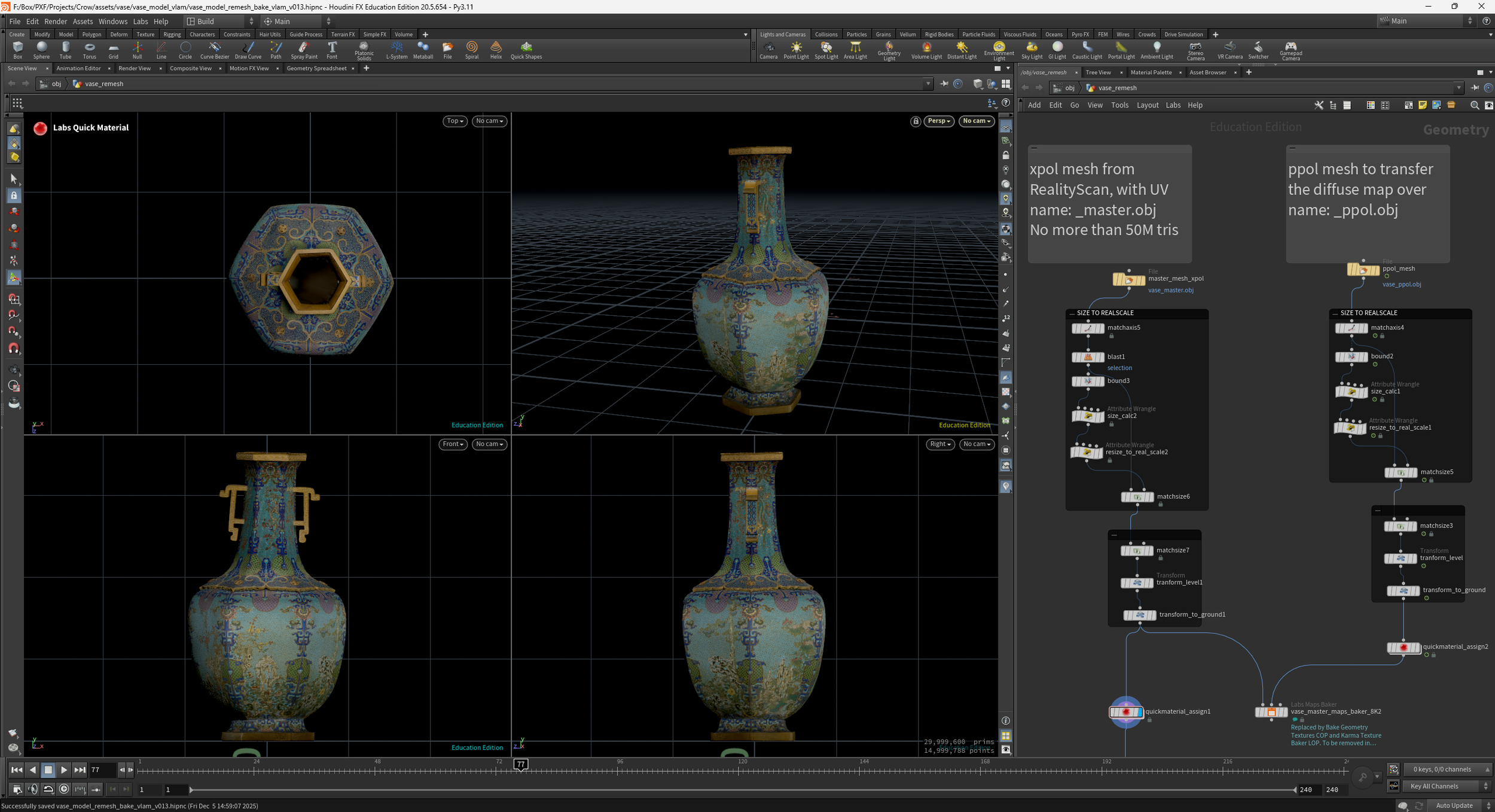
II. Why the transfer failed?
Despite the intention, the process did not work as expected due to several technical issues:
Two different meshes cannot share identical alignment.
RealityScan produces slightly different topology and surface cleanup between PPOL and XPOL captures. Even small differences—like trimmed edges, removed ground planes, or variations in hanging geometry—result in mismatched world-space position.UVs generated by RealityScan are unique for each mesh.
Since RealityScan computes UVs per mesh, and because the PPOL and XPOL versions differ even subtly in shape, their UV islands cannot be pixel-matched. This makes direct texture projection or UV-based transfer impossible without distortion.Texture transfer requires near-perfect correspondence.
Baking a diffuse map from one mesh to another requires either:matching vertex/point order (not possible),
identical UV layout (not possible), or
extremely close surface alignment (not guaranteed).
Because none of these conditions were met, the transferred texture produced artifacts and sliding in UV space.